
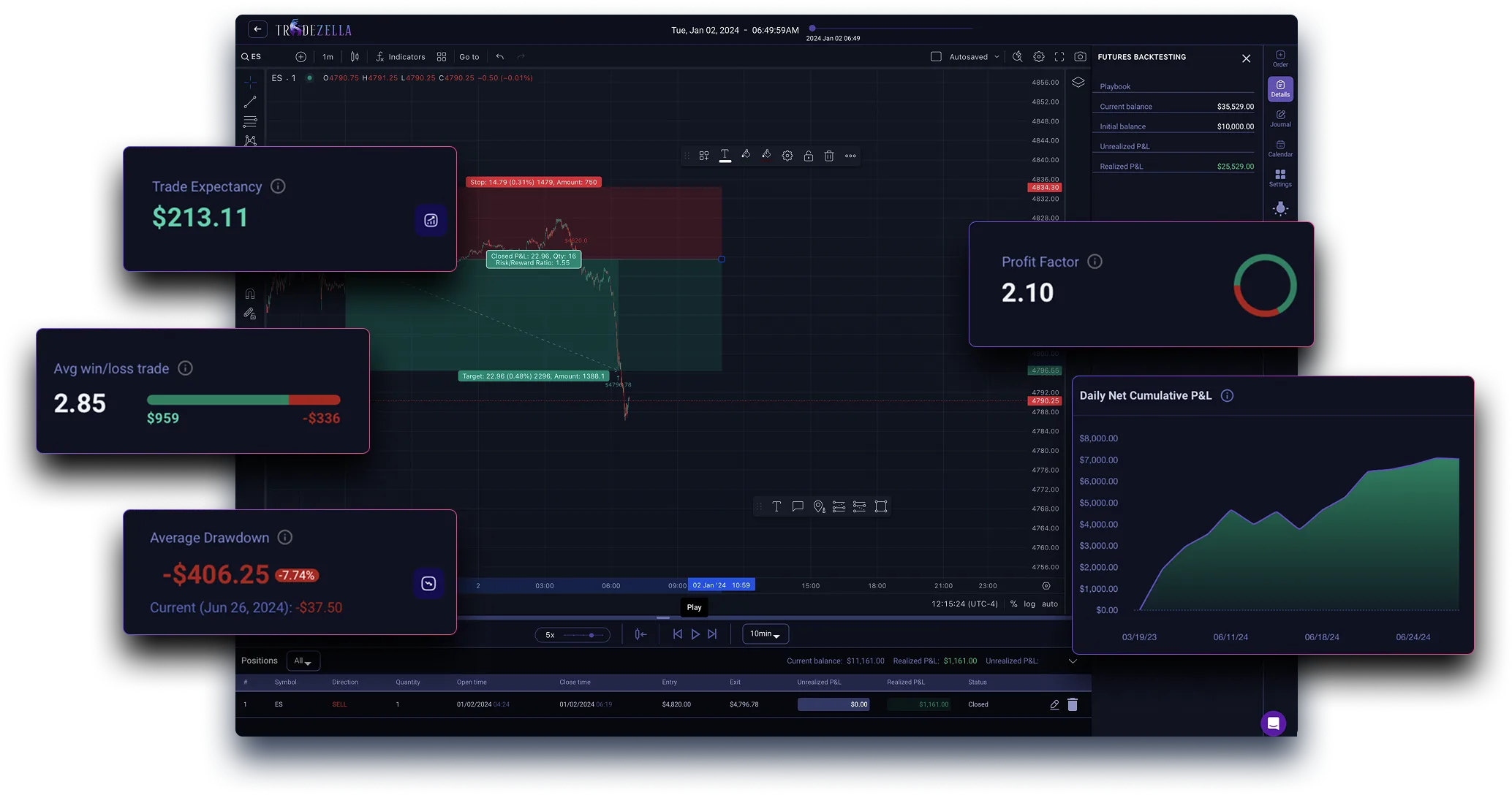
In this article, I will list the Best Backtesting Software for Traders, which can help in optimizing their trading strategies and minimizing their risks. Backtesting Software helps traders obtain historical data to simulate their trades, analyze the results, and improve their trading strategies before actually spending real money.
For beginner and professional traders, the choice of the most suitable platform is important as it helps them make data backed trading decisions and aids in making profits.
What Is Backtesting in Trading?
In trading, backtesting is analyzing the potential success of a trading strategy or system using historical data before executing it in the real-time market. It consists of simulating trades and analyzing the success of a strategy based on different price movements and market scenarios. This way, users can identify and analyze the strengths, weaknesses, risks, and possible profits in a strategy.
This data will help users fine-tune their strategies and make optimal trading decisions. Backtesting is a good way for traders to get a data-driven practice run, so they can build their confidence before taking on the risk of using real currency.
Factors to Consider When Choosing Backtesting Software
Compatibility with Trading Style
- Verify that the software is compatible with your specific area of trading, whether it be stocks, forex, crypto, or options.
Historical Data Reliability
- The depth and quality of historical data that is available to you will put limits of the accuracy of your backtesting results.
Customization and Flexibility of Strategies
- The best software will offer you the opportunity to create, change, and test an unlimited amount of trading strategies within your preferred parameters.
Speed and Efficiency
- Having the ability to backtest various large (perhaps complicated) data sets quicker will save you time.
User-Friendliness and Low Learning Curve
- The more user-friendly the system is, and the better the support documentation is, the better it will be for both novice and advanced traders.
Broker and Software Integration
- Being able to connect the software with live trading platforms and brokers makes it easier to implement your strategies.
Reporting and Visualization
- Accessibility of performance data, report documentation, charts, and other result analysis will make it easier to interpret test results.
Pricing Model & Community Engagement
- Look within your budget, and when keeping software features and update priority (especially when the software system is free) in mind, determine whether you prefer the paid version or the free version advanced tutorials, support, or problem resolution.
Active Communities and Support
- Having a large user base and similar software structure allows for advanced problem resolution in a short time.
Automation
- The software can be run in a fully automated algorithmic state while allowing the user to run multiple backtests concurrently.
Key Points & Best Backtesting Software for Traders
- MetaTrader 5 (MT5) – Advanced charting and automated strategy testing for forex, stocks, and commodities.
- QuantConnect – Cloud-based algorithmic trading platform with multi-asset backtesting and historical data access.
- Amibroker – Powerful technical analysis and strategy backtesting with custom scripting capabilities.
- TradeStation – Professional trading platform offering robust backtesting, strategy optimization, and automation.
- NinjaTrader – Comprehensive backtesting and simulation tools for futures, forex, and equities traders.
- MultiCharts – High-performance backtesting software with flexible strategy development and portfolio testing.
- AlgoTrader – Institutional-grade automated trading and backtesting platform supporting multiple asset classes.
- QuantInsti Blueshift – Python-based algorithmic trading platform for backtesting and deploying strategies in the cloud.
- Bloomberg Terminal Backtesting Suite – Professional analytics and backtesting tools integrated with Bloomberg’s market data.
- Kavout (Kai Score AI) – AI-driven backtesting and stock ranking system for informed investment decisions.
10 Best Backtesting Software for Traders
1. MetaTrader 5 (MT5)
MetaTrader 5 (MT5) is among the most popular platforms for trading in forex, stocks, and commodities. It provides sophisticated charting features, multi-timeframe analysis, and an in-built strategy tester that enables users to backtest automated Expert Advisors (EAs) on historical data. Additional features include the ability to perform strategy refinement through Monte Carlo simulations and optimization.
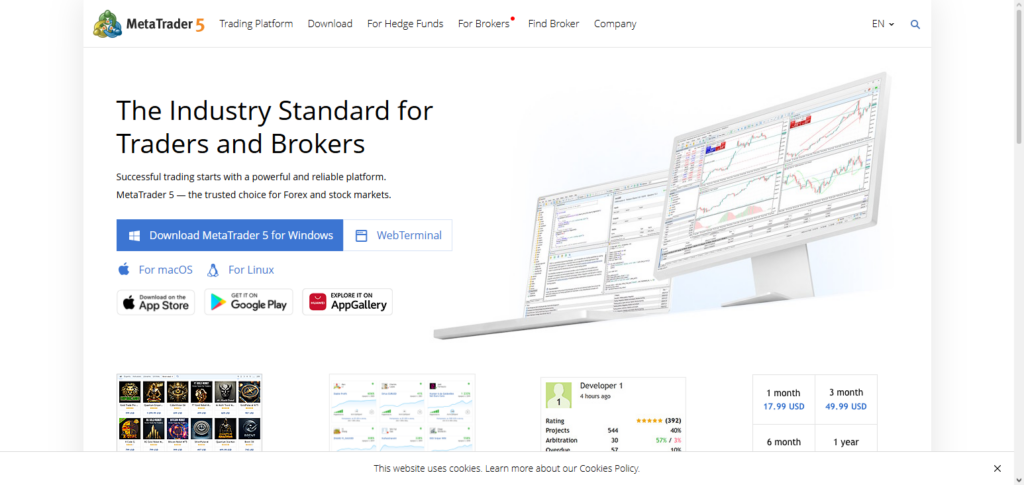
MT5 is ranked among the Best Backtesting Software for Traders because of its ability to allow customers to perform accurate testing and development of trading strategies. Its strong community and user-friendly interface make it suitable for novice and advanced users.
MetaTrader 5 (MT5) Features
- Supports various assets: Forex, stocks, CFDs, and futures.
- Strategy Tester can be used for simulation of past performance.
- Automation + optimization for Expert Advisors (EA).
- Faster results are a product of multi-threaded backtesting.
- User-friendly and offers technical indicators alongside charting.
MetaTrader 5 (MT5) Benefits & Drawbacks
| Benefits | Drawbacks |
|---|---|
| Free to use with many brokers | Limited advanced data options for non‑FX markets |
| Supports automated EAs and optimization | Interface can feel dated for experienced quants |
| Multi‑asset backtesting capability | Not ideal for large institutional datasets |
| Strong global community and tutorials | Limited Python/R integration |
| Fast strategy testing with optimization | Fewer advanced analytics compared to pro platforms |
2. QuantConnect
QuantConnect is a trading software that allows you to code trading strategies to trade on different financial assets. It also allows you to backtest your trading strategies to see how they would have performed historically. You can trade in stocks (US), Forex, Futures (US), and Cryptos.
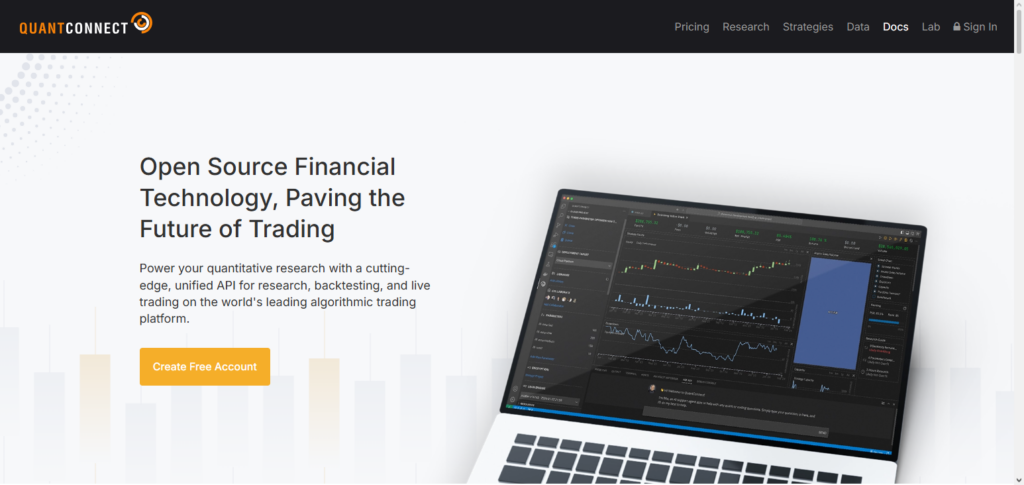
You can code your trading strategies in either Python or C#, and QuantConnect provides trade execution algorithms to implement your strategies. You also have cloud computing power to run your backtests. Databases, such as Yahoo, Google, and Quandl, provide data for backtesting, and you can also implement your quantitative trading strategies to trade in stocks. For these reasons, QuantConnect is one of the Best Backtesting Software for Traders.
QuantConnect Features
- Live trading + backtesting.
- Algorithmmic programming in Python and C#.
- Access to extensive past data and analytics of various assets.
- Testing structure that can be expanded.
- Shared algorithm library and community assistance.
QuantConnect Benefits & Drawbacks
| Benefits | Drawbacks |
|---|---|
| Cloud‑based high performance | Steeper learning curve for beginners |
| Python & C# support | Cost increases with high data needs |
| Extensive historical data | Requires coding ability |
| Scalable strategy development | Community reliance for reusable code |
| Supports multi‑asset backtesting | Not as intuitive as GUI‑first platforms |
3. Amibroker
Amibroker is also one of the Best Backtesting Software for Traders, and it also allows you to develop your own trading strategies. You can code trading strategies in AFL, and the software will give you tools to run your strategies on multiple different financial instruments and even on different time periods. Amibroker allows you to do portfolio-level backtesting and even to run Monte Carlo simulations.
Monte Carlo simulations will allow you to see the risk-adjusted returns of your trading strategies. You can also configure Amibroker to run real-time scans of the market and to issue alerts.
Amibroker Features
- Custom strategies.
- Monte Carlo Analysis + portfolio backtesting.
- Advanced scanning + alerting.
- Rapid backtesting.
- Indicator and charting customization.
Amibroker Benefits & Drawbacks
| Benefits | Drawbacks |
|---|---|
| Extremely fast backtesting engine | AFL scripting requires learning |
| Custom strategy development | Interface looks outdated |
| Detailed performance analytics | No cloud computing by default |
| Portfolio and Monte Carlo testing | Data feeds often need separate purchase |
| Highly customizable charts | Setup complexity for beginners |
4. TradeStation
As a professional-grade trading platform, TradeStation offers practitioners comprehensive backtesting, strategy optimization, and automated trading. With EasyLanguage scripting, traders can build custom indicators and trading strategies. With multi-assets support, TradeStation is versatile for multi-asset traders for equities, futures, options, and forex.
Advanced risk analysis and performance reporting tools help refine strategies before deployment. With final integrations with live trading, there is a seamless transition from testing to execution. TradeStation earns a reputation for one of the Best Backtesting Software for Traders and the analytics and institutional-grade tools make them very reliable.
TradeStation Features
- Custom strategies and indicators can be made using EasyLanguage code.
- Backtesting + optimization of multiple assets.
- Live trading execution is integrated.
- Analytics covers performance and risk in depth.
- Market data and alerting is real-time.
TradeStation Benefits & Drawbacks
| Benefits | Drawbacks |
|---|---|
| EasyLanguage makes custom coding smooth | Higher subscription cost |
| Integrated live trades with backtesting | Heavy resource usage on older PCs |
| Comprehensive analytics & reporting | Can feel overwhelming for new traders |
| Multi‑asset support | Strategy optimization can be slow |
| Reliable broker integration | Not ideal for Python‑based quant work |
5. NinjaTrader
With additional features, NinjaTrader brings solutions to traders dealing with futures, forex, and equities with a platform for advanced charting, strategy development, and simulation. The backtesting module with model order execution lets traders optimize strategies and test at a historical point. Other features of NinjaTrader also include automated trading with real-time market data.
NinjaTrader is one of the Best Backtesting Software for Traders with large emphasis on speed and accuracy, allowing trading with tools for beginners and professional features for traders with complex strategies. Portfolio-level backtesting and performance analytics make it suitable for professional traders seeking detailed insights.
NinjaTrader Features
- Development without code is possible via Strategy Builder.
- Testing with simulation can be done in both real-time and past scenarios.
- Advanced modeling of order execution is possible.
- Analytics are comprehensive.
- Customized strategies and their automated deployment are possible with indicators.
NinjaTrader Benefits & Drawbacks
| Benefits | Drawbacks |
|---|---|
| Good simulation and real‑time modeling | Paid version for full automation |
| Strategy Builder (no code) | Limited asset class beyond futures/forex |
| Custom indicators and addons | Smaller community than MT5 |
| Professional performance analytics | Steeper learning for complex strategies |
| Fast execution testing | Charting can be less intuitive |
6. MultiCharts
MultiCharts offers high-backtesting efficiency for trading. It enables advanced strategy creation along with testing that can be done at the portfolio level. It offers customized strategy creation through EasyLanguage and PowerLanguage. MultiCharts enhances your precision with historical simulations along with risk analytics.
Automated trading enables trading in real-time, ensuring you can complete your trades swiftly. Advanced Flexibility and precision makes it stand out in the competition. MultiCharts is known for reliability in testing along with solid portfolio optimization and strategy evaluation for multiple assets making it one of the Best Backtesting Software for Traders.
MultiCharts Features
- EasyLanguage / PowerLanguage is supported for scripting.
- Backtesting precision using tick-by-tick data.
- Multi-symbol and portfolio testing.
- Visualization and charting capabilities.
- Integration for automated trading.
MultiCharts Benefits & Drawbacks
| Benefits | Drawbacks |
|---|---|
| Supports EasyLanguage & PowerLanguage | Paid software with licensing cost |
| Precise tick‑by‑tick simulation | Requires data feed setup |
| Portfolio backtesting | Interface is complex for beginners |
| Automated trading integration | Slight learning curve |
| Strong visualization tools | Not cloud‑native |
7. AlgoTrader
AlgoTrader is an institutional-grade algorithmic trading platform that allows users to automate trading strategies and conduct complex trading strategy backtesting. Its users can trade equities, forex, crypto, and derivatives. Traders create their strategies using Java or Python and can backtest them with extensive historical data.
Traders can conduct their own integrated risk analysis and reporting to determine performance metrics and assess their potential impact. With professional-grade analytics and automation, AlgoTrader is suitable for individual and institutional traders. Because of this, it is regarded as one of the Best Backtesting Software for Traders because it offers advanced features for testing and execution.
AlgoTrader Features
- An algorithmic trading platform for institutions.
- Backtesting across markets and multiple assets.
- Development of strategy in Java/Python.
- Provided Risk and Execution analytics.
- Deployment on-premise or in the cloud.
AlgoTrader Benefits & Drawbacks
| Benefits | Drawbacks |
|---|---|
| Institutional‑level capacity | Expensive for retail traders |
| Multi‑asset support | Requires technical development skills |
| Java/Python strategy flexibility | Deployment complexity |
| Integrated risk analytics | Setup overhead and maintenance |
| Highly scalable | Steeper learning for non‑tech traders |
8. QuantInsti Blueshift
QuantInsti Blueshift is a cloud service based in Python that is designed for efficient algorithmic trading strategy backtesting and deployment. The service provides data that is historical in nature covering equities, futures, and cryptocurrencies, and offers risk and portfolio analysis. Whereas risk and portfolio analysis is also available to other users, those users have less analytical, coding, and quant trading freedom.
The cloud-based structure allows them to be tested simultaneously across clouds. Being user-friendly and having a quantitative emphasis, QuantInsti Blueshift is regarded among the best backtesting software for traders that are interested in algorithmic and data-driven trading strategies.
QuantInsti Blueshift Features
- Environment for developing strategy around Python.
- Access historical data on the cloud.
- Backtesting portfolio and assess associated risks.
- Testing multiple strategies at the same time.
- Plot dashboard analytics interactively.
QuantInsti Blueshift Benefits & Drawbacks
| Benefits | Drawbacks |
|---|---|
| Python‑first development | Still less known than major platforms |
| Cloud‑access to historical data | Paid subscription for full access |
| Simultaneous strategy testing | Not as feature‑rich as Bloomberg |
| Nice visualization tools | Limited community compared to open platforms |
| Good for quantitative traders | Less advanced portfolio tooling |
9. Bloomberg Terminal Backtesting Suite
The Bloomberg Terminal Backtesting Suite is a professional analytical tool that provides services such as backtesting, scenario analysis, and prediction based on the analytical and historical data services offered by Bloomberg. The Suite allows Backtesting users to execute strategies across various asset classes including equities, fixed income, and derivatives.
With strong analytical tools, users can analyze the performance of strategies vis-à-vis the Suite’s various visualization capabilities. Also, institutional traders would benefit from the Suite’s portfolio simulation and risk management capabilities. The Bloomberg Terminal Backtesting Suite offers users a rich source of data and is effective, dependable, and analytical in nature. It is also among the best backtesting software for traders.
Bloomberg Terminal Backtesting Suite Features
- Backtesting using set of data from Bloomberg for professionals.
- Simulation of strategies across assets.
- Stress testing and scenario testing integrated.
- Advanced analytics and visualization.
- Risk and performance reporting at the institutional level.
Bloomberg Terminal Backtesting Suite Benefits & Drawbacks
| Benefits | Drawbacks |
|---|---|
| Institutional‑grade data & analytics | Extremely high cost |
| Cross‑asset testing | Not designed for retail traders |
| Stress & scenario testing tools | Complex for casual users |
| Integrated with Bloomberg ecosystem | Steep learning curve |
| Professional reporting | Not focused on algorithmic coding |
10. Kavout (Kai Score AI)
Kavout offers AI-enabled backtesting and stock ranking services powered by AI and machine learning. Their Kai Score AI analyzes current market conditions and forecasts stock performance. Traders are therefore able to backtest their trading strategies against previous market conditions.
Traders can also test their entire portfolio and obtain metrics relating to the portfolio’s performance and the associated risk. Kavout is most ideal for professionals looking to merge technical and fundamental analytics with AI. Their innovative analytics and predictive accuracy have earned the platform numerous accolades, including being named one of the Best Backtesting Software for Traders.
Kavout (Kai Score AI) Features
- Kai Score which scores stocks using AI.
- Pattern recognition and predictive analytics.
- Backtesting strategies using machine learning.
- Evaluation of portfolio risk and associated returns.
- Asset selection using multi-factor scoring.
Kavout (Kai Score AI) Benefits & Drawbacks
| Benefits | Drawbacks |
|---|---|
| AI‑driven scoring and predictions | Can feel like a “black box” |
| Multi‑factor analytics | Subscription cost |
| Simplifies stock selection | Not ideal for custom coding |
| Easy‑to‑interpret signals | Less control over strategy mechanics |
| Useful for data‑driven traders | Not full‑featured backtesting suite like MT5 |
Conclusion
Selecting appropriate back testing software is essential for traders aiming to optimize strategies, mitigate risks, and enhance their bottom line. The software reviewed from Meta Trader 5 (MT5) to Kavout (Kai Score AI) provide varying services such as professional charting, AI strategy testing, automated AI insights, and asset class portfolio breakdowns.
Some services are designed for novices, while others are meant for professional and institutional traders who demand complex analytics. With all these services, traders are able to formulate and optimize their strategies before real time execution of the strategies. In essence, the Optimal Backtesting Software for Traders is a function of one’s trading method, targeted asset class, and personal trader objectives.
FAQ
What is the purpose of backtesting software?
Backtesting software allows traders to test their trading strategies using historical market data. This helps evaluate performance, optimize strategies, and minimize risk before applying them in live markets.
Which backtesting software is best for beginners?
For beginners, MetaTrader 5 (MT5) and NinjaTrader are ideal due to their intuitive interface, pre-built indicators, and easy-to-use strategy testing tools.
Can backtesting guarantee future profits?
No. Backtesting evaluates past performance and market conditions, but it cannot predict future results. Traders should combine backtesting with risk management and market analysis.
Is AI-based backtesting reliable?
AI platforms like Kavout (Kai Score AI) provide predictive insights and advanced analysis. While useful, AI tools should complement, not replace, manual strategy evaluation and human judgment.
How much historical data is needed for accurate backtesting?
Ideally, traders should use several years of high-quality historical data, covering different market conditions, to ensure reliable and robust strategy testing.